Advertisements
The internet is a powerful tool that allows us to shop, communicate, study, work, and much more.
But along with so many conveniences come risks that many people don't notice: fraud, data theft, viruses, and even espionage. The good news?
It is possible to protect yourself, and the best part is that you can do it easily with the help of apps.
In this article, we'll talk directly about how you can stay safe online, even if you're not very tech-savvy. We'll show you
- What dangers are common on the internet and how to prevent them
- Simple habits that increase your digital security
- How to use two free and reliable apps that help you browse with more peace of mind
ImportantThis content is intended for people of all ages and levels of knowledge.
Advertisements
Even if you don't know much about cell phones or computers, you can easily apply these tips.
What does it mean to be safe online?
Being safe online doesn't just mean having antivirus software installed. It's much more than that.
It means making conscious decisions while browsing, entering passwords, or shopping online.
Imagine the internet is a big city. Would you walk around with your wallet open and shouting your personal information? Probably not.
The same applies to the internet: you must be careful with what you share and with the sites or applications you visit.
It will stay in the same place!
Among the most common risks are
- bank data theft
- hacking of personal accounts (such as email or social media)
- viruses that damage your cell phone or computer
- scams that mimic legitimate websites to trick you
And the worst part is that many of these attacks are silent. You only realize it when you've already suffered the damage.
Common mistakes that put your digital security at risk
Most security problems occur due to carelessness or lack of information. Here are some mistakes you should avoid.
- using the same password on multiple sites
- Clicking on any link that arrives via message or email
- install apps from unknown sources
- not updating the cell phone or computer system
- Ignore browser security warnings
Quick tipIf you made any of these mistakes, don't worry. You still have time to protect yourself. We'll show you how to fix them easily.
Simple habits that improve your online security
You don't need to be a tech expert to protect yourself. Check out these easy habits that make a big difference.
1. Use strong and different passwords for each account
It combines uppercase letters, lowercase letters, numbers, and symbols.
Avoid birth dates or familiar names
Use a password saver app if you have trouble remembering them
2. Activate two-step verification
an extra layer of security that sends a code to your cell phone
It's available on apps like WhatsApp, Facebook, Instagram, and Gmail
3. Keep your system updated
The updates fix security flaws
Do it on both your phone and your computer
4. Avoid unsecured public Wi-Fi networks
Never access your bank or email from open networks
Wait until you're home or use your personal network
5. Install reliable security apps
They detect threats, block access, and protect your data in real time.
Later we'll show you which ones to use
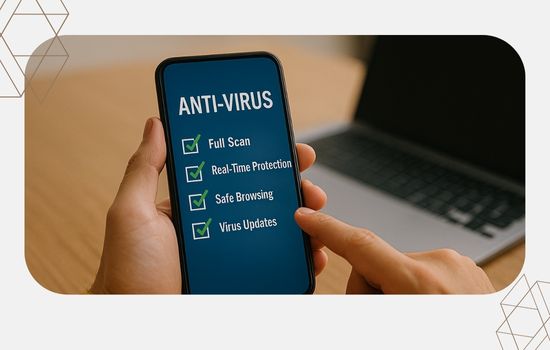
Apps that protect your browsing and personal data
There are many apps that promise security, but it is essential to use only those that are reliable, have a good reputation, and have millions of downloads on the Google Play Store.
Here are two easy-to-use, secure apps that are perfect for those who don't know much about technology.
Bitdefender Mobile Security
Bitdefender is one of the world's most recognized antivirus programs. Its mobile version is lightweight, fast, and highly effective.
Main advantages
- Protects against viruses, fraud, and dangerous apps
- It automatically checks for suspicious links and pages.
- It alerts you if your data has been leaked online.
- It allows you to locate your cell phone if you lose it or it gets stolen.
Download Bitdefender Mobile Security from the Play Store
Jarvis's adviceThis app works in the background and does not interfere with your phone's use. You can use it normally while it protects you.
Norton 360: Security and VPN
Norton is also a strong brand in digital protection. It offers a comprehensive suite that includes antivirus, VPN, and identity protection.
Useful features
- blocks suspicious apps
- Protects you when you use public Wi-Fi
- warns about fake websites and scams
- Check if your email was exposed in leaks
Download Norton 360 from the Play Store
ImportantNorton's VPN helps you browse securely even on public networks, hiding your data from potential spies.
Protection for the whole family: how to take care of everyone
If you live with other people —children, parents or grandparents— it's important to talk about online safety with the whole family.
Some helpful tips
- It explains the risks of clicking on suspicious messages
- It teaches you to be wary of offers that seem too good to be true.
- It helps install security apps on family phones.
- Use parental controls on children's and teenagers' devices
You can do it simply, showing that it's a way of taking care of those you love most.
How can you tell if your phone has been hacked?
Many people only realize there's a problem when it's too late. Pay attention to these signs.
- The phone is much slower than normal
- strange ads or messages appear
- There are apps you don't remember installing.
- The battery or mobile data runs out very quickly
- Your email or social media account is doing things without your permission.
If you notice any of these signs, immediately install a protection app like Bitdefender or Norton and follow the instructions.
Myths and truths about digital security
Not everything that's said is true. Let's clarify some things.
“My cell phone is new, it doesn’t need antivirus”
False. Even new devices can be attacked, especially if you install apps from outside the official store or click on suspicious links.“Only those who use online banking should be worried.”
False. Scams occur on social media, in games, on apps, and even in regular emails.“Antivirus programs make your cell phone slower”
Partially true. Some older ones did, but today there are lightweight and optimized options, like the ones we recommend in this article.
Protecting your digital security is protecting your well-being
You might think, "I don't have anything important on my phone." But the truth is, your personal data is very valuable to criminals.
A simple email address or identification number can be used for scams, money theft, or the creation of fake accounts.
That's why protecting your online security means protecting your identity, your money, and your peace of mind.
And the best part: it's not expensive, difficult, or time-consuming. You just need to change a few habits and use the right tools.
Conclusion: Start protecting your data today
You already know the dangers, the precautions, and the apps that can help. It's time to act. Technology is on your side; you just need to use it wisely.
- Summary of actions to start today
- Change your passwords to more secure combinations
- Activate two-step verification
- installs Bitdefender Mobile Security either Norton 360
- Explain these tips to family and friends.
- Delete apps you don't use or don't recognize.
The internet can be a safe place, as long as you're prepared.