Advertisements
Do you need your electricity bill and don't know where to find it?
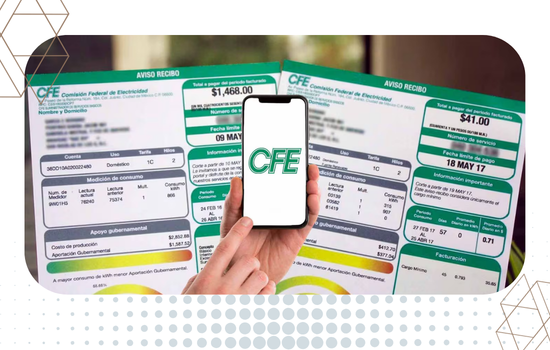
Whether it's for a procedure, to verify your address, or simply to check your consumption, Download your CFE electricity bill It's a simple process that you can do from your cell phone or computer in just a few minutes.
In this article we explain step by step how to obtain your digital receipt, what options are available to you, and what to do if you have any problems during the process.
At the end, you will have all the information you need to download your receipt without any problems.
Why download your electricity bill in digital format?
For many years, the electricity bill only arrived on paper at the user's home.
Advertisements
However, that model has changed thanks to the modernization of CFE services.
Today, downloading your receipt in digital format offers clear advantages over a printed document. First, it's available the moment it's issued, without waiting for the delivery person. Furthermore, it's not at risk of being lost or damaged.
Among the main benefits of downloading your electricity bill digitally are:
- Immediate access: Available as soon as CFE issues the bill, with no waiting time.
- No risk of getting lost: The PDF file is saved on your device or in the cloud.
- Full legal validity: The digital receipt has the same validity as the printed one for any procedure.
- Paper saving: You contribute to environmental protection by choosing the digital version.
- Access to previous receipts: You can view and download the complete invoice history from the portal.
Therefore, if you haven't yet tried digital downloading, this article will show you how easy it is to get started.
What You Need Before Downloading Your Receipt
Before starting the process, make sure you have the following information ready. Without it, you will not be able to access the portal or complete the download:
- Service number: It is the unique identifier of your contract with CFE. It usually has 12 digits and appears at the top of any previous physical bill.
- Registered email address: The one you used when you created your account on the CFE portal.
- Your account password: If you don't remember it, you can retrieve it from the portal for free.
- Device with internet connection: It can be your phone, tablet, or computer.
Also, if this is your first time using the portal, you'll need to register before you can download your receipt. We'll explain how to do this in the following steps.
Read Also:
- Check your 2026 Welfare Payment
- Interesting facts about social media
- Best apps for serious or casual relationships
How to Download Your CFE Electricity Bill from the Web Portal
The official CFE website is the most comprehensive way to manage your electricity account, including downloading bills. Below, we guide you step by step:
Step 1: Access the official CFE website
Open your internet browser and type the address www.cfe.mxVerify that the address is correct and that the site displays the security padlock in the navigation bar, which indicates that the connection is secure.
Step 2: Log in or create your account
If you already have an account, click on "Login" and enter your email and password. If you don't have an account, select “Register” Complete the form with your service number, email address, and a secure password. Registration is free and takes less than five minutes.
Step 3: Go to the “My Receipts” section
Once you're logged into your account, look in the menu for the option “My Receipts” either “Consultations”There you will find all the receipts issued for your contract, organized by date.
Step 4: Select the receipt you wish to download
Choose the period corresponding to the receipt you need. For example, if you want the most recent receipt, select the first one on the list. If you need an older one, scroll down until you find the correct date.
Step 5: Download the file in PDF format
Click on the option "Discharge" either “See receipt”The system will generate a PDF file that you can save to your device, share via email, or print as needed.
Step 6: Save the file in a safe place
We recommend creating a specific folder on your computer or phone to store all your CFE receipts. You can also upload the file to Google Drive or iCloud to have a backup accessible from any device.
How to Download Your Electricity Bill from the CFE Contigo App
If you prefer to use your phone, the CFE Contigo app is the most convenient option. In addition to downloading bills, you can also pay, check your consumption, and activate due date notifications.
The process is as follows:
- Download the app Available from Google Play (Android) or the App Store (iOS). It's free and officially licensed by CFE.
- Log in with the same data you use on the web portal.
- Select your contract if you have more than one registered.
- Tap the “Receipts” option in the app's main menu.
- Choose the receipt you need and tap the download icon.
- The PDF will be saved automatically in the gallery or in your phone's files.
Therefore, in less than a minute you will have your receipt downloaded and ready to use.
What to do if you can't download your receipt?
Sometimes technical difficulties may arise during the process. Therefore, below we explain how to resolve the most common problems:
- You don't remember your password: On the login screen, click on “Forgot your password?” and follow the instructions to reset it using your email address.
- The receipt does not appear on the portal: Check that your internet connection is stable. You can also try using a different browser or clearing your current browser's cache.
- The PDF file will not open: Make sure you have a PDF reader installed on your device. If not, you can download one for free from the internet.
- You don't have a service number: You can find it on any previous physical receipt or request it directly from CFE customer service by calling 071.
Also, if the problem persists, the CFE website has a customer service chat available during office hours.
Does the Digital Receipt Serve as Proof of Address?
Yes. The CFE electricity bill in digital format is fully legally valid and widely accepted as proof of address in Mexico. Furthermore, many institutions prefer it in PDF format because it is easier to verify.
For it to be accepted as proof of address, the receipt must be no more than three months old. Therefore, we recommend always downloading the most recent receipt when you need it for any procedure.
Frequently Asked Questions about How to Download Your Electricity Bill
Is there a cost to downloading the CFE electricity bill?
No. Downloading your bill from the official website or the CFE Contigo app is completely free. There are no charges for accessing your digital documents.
Can I download receipts from previous months?
Yes. The CFE website allows you to view and download your complete billing history. This is especially useful when you need documents from previous periods for procedures or audits.
How long are the receipts available on the portal?
Receipts are generally available on the portal for several months. However, it's advisable to download and save them to your device to ensure you always have them accessible.
Can I print the downloaded receipt?
Of course. Once you download the PDF file, you can print it from any printer. The printed document has the same validity as the digital version.
Does the digital receipt have an electronic signature?
Yes. Receipts downloaded from the official CFE website include an electronic signature that guarantees their authenticity and legal validity.
Conclusion
Downloading your CFE electricity bill is a simple, free, and accessible process for any user, regardless of their level of experience with technology.
Furthermore, doing it digitally offers clear advantages over the physical document: immediate availability, security, and access from any device.
Therefore, if you haven't yet explored the official CFE website or its mobile application, this is the perfect time to do so.
Registering takes just a few minutes, and from that moment on, you'll have complete control of your electricity account at your fingertips.
In conclusion, taking advantage of the digital tools that CFE makes available to you is a decision that will save you time, effort, and potential setbacks in the future.